

Connect Slack
Get an alert in a Slack channel when a visitor becomes a hot lead, with a Claim button so two reps don't chase the same person.
Connect Slack and your team hears about the visitors worth their time while those visitors are still on your site. ShowPilot posts to a channel you pick when something needs a person, and a Claim button makes sure two reps don't chase the same lead. ShowPilot only posts. It reads nothing from Slack.
This article covers what gets posted, how to connect Slack, and how to check alerts arrive.
What does ShowPilot post to Slack?
| Alert | When it's posted |
|---|---|
| Hot leads | A visitor's intent score crosses your alert threshold. The alert shows the account, intent score, visit count, recent intent signals, qualifying answers and the suggested owner from your routing rules, with a link to the conversation. A rep selects Claim and the message updates to show who took it. |
| Booked meetings | A visitor books a meeting, and the routed rep is alerted. If ShowPilot can match the rep to a Slack member by email, the rep also gets a brief in a direct message. |
| Callback requests | A visitor asked for someone to reach out now. |
| Questions the agent couldn't answer | The alert puts the visitor's question first, so a teammate can answer while they're still on your site. |
| Finished tours | A visitor finished a tour during a conversation. The alert says how far they got, and who they are when known. |
When routing picks an owner and their email matches a member of your Slack workspace, the alert mentions them by name.
Before you start
- An admin role in ShowPilot. Only admins can connect or disconnect integrations.
- Permission to add apps to your Slack workspace.
How do you connect Slack?
Open the Slack page
Go to Settings → CRM & Sales tools and select the Slack card.
Add ShowPilot to Slack
Select Add to Slack. Slack asks which channel ShowPilot should post to. Pick the channel and approve.
Check the channel
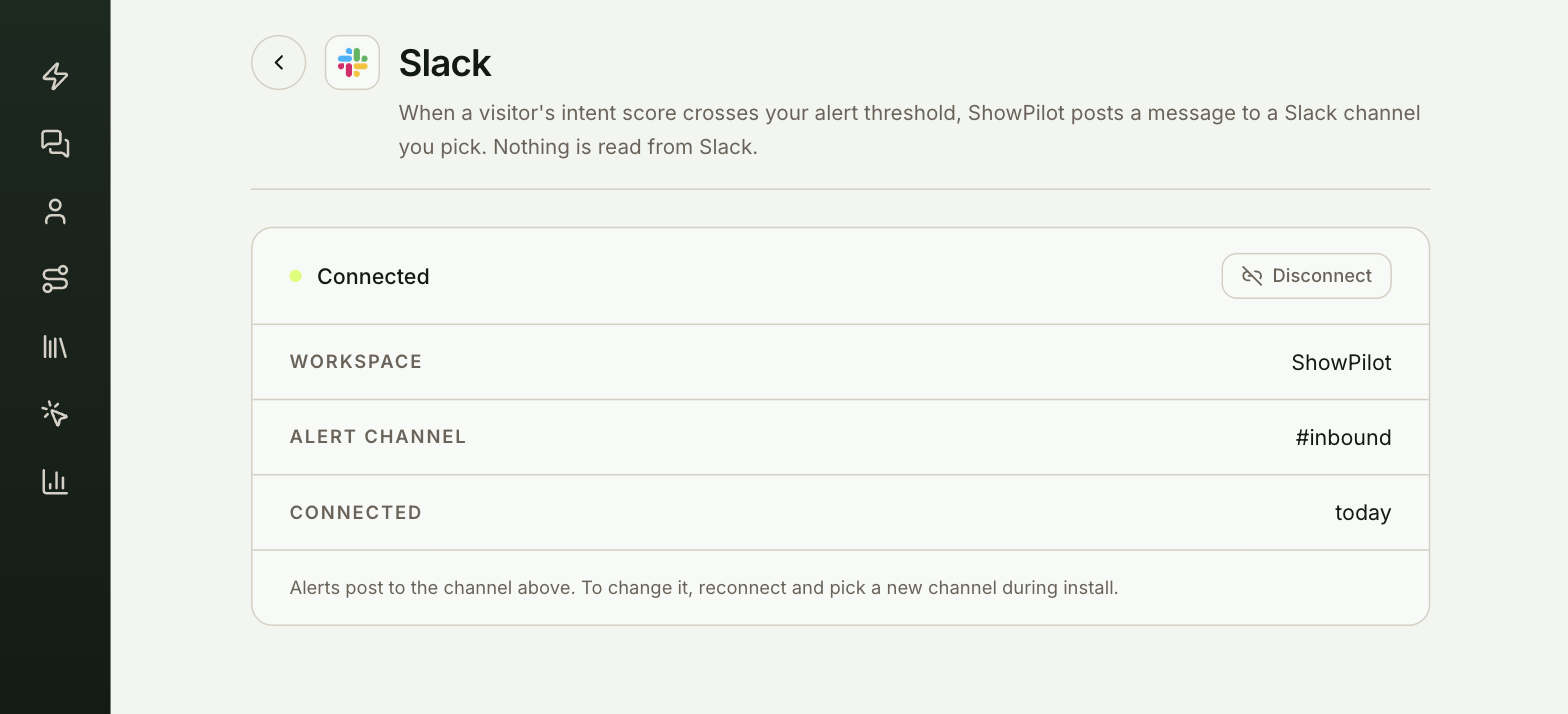
You land back on the Slack page. It shows Connected, your Workspace and the Alert channel.
How do you change the channel?
ShowPilot posts to one channel. To use a different one, select Disconnect, then Add to Slack again and pick the new channel.
How do you disconnect Slack?
Select Disconnect on the Slack page and confirm. Alerts stop right away. You can reconnect at any time.
Test it
Slack is ready when a test conversation produces an alert in your channel:
- Check that the ShowPilot app appears in the channel you picked.
- On your website, have a conversation that books a meeting, or ask the agent something it can't answer.
- An alert appears in the channel within a few seconds.
Troubleshooting
| Issue | What to check |
|---|---|
| The Slack page shows a connection error | Disconnect and connect again. |
| Alerts don't mention the rep | The rep's ShowPilot email has to match their Slack email. |
| The rep doesn't get a direct message brief | ShowPilot matches the rep to a Slack member by email. Check that their ShowPilot email matches their Slack email. |
Frequently asked questions
Does ShowPilot read our Slack messages?
No. ShowPilot only posts. It reads nothing from Slack.
Can alerts go to more than one channel?
No. ShowPilot posts to one channel. To move alerts, disconnect and add ShowPilot to Slack again with the new channel.
What does Claim do?
A rep selects Claim to take the lead. The message updates to show who took it, so two reps don't chase the same person.