

Add knowledge
Teach your agent from your website, short snippets and PDFs, and share one set of content across several agents.
Knowledge is what makes your agent accurate. It answers buyers from the pages, facts and documents you give it, so the quality of its answers follows the quality of its sources.
This article covers adding knowledge to one agent, and sharing one dataset across several agents.
Where do you add knowledge?
| Place | Use it for |
|---|---|
| The agent's Training tab | Pages, snippets and PDFs for one agent. |
| Knowledge in the sidebar | A shared dataset you build once and attach to as many agents as you like. |
Knowledge changes apply as soon as a source finishes indexing. You don't need to publish the agent again.
What do you need before you start?
- An agent. See Create an agent.
- Pages that open without a login. The agent can only learn from pages anyone can read.
How do you add knowledge to one agent?
Open the Training tab
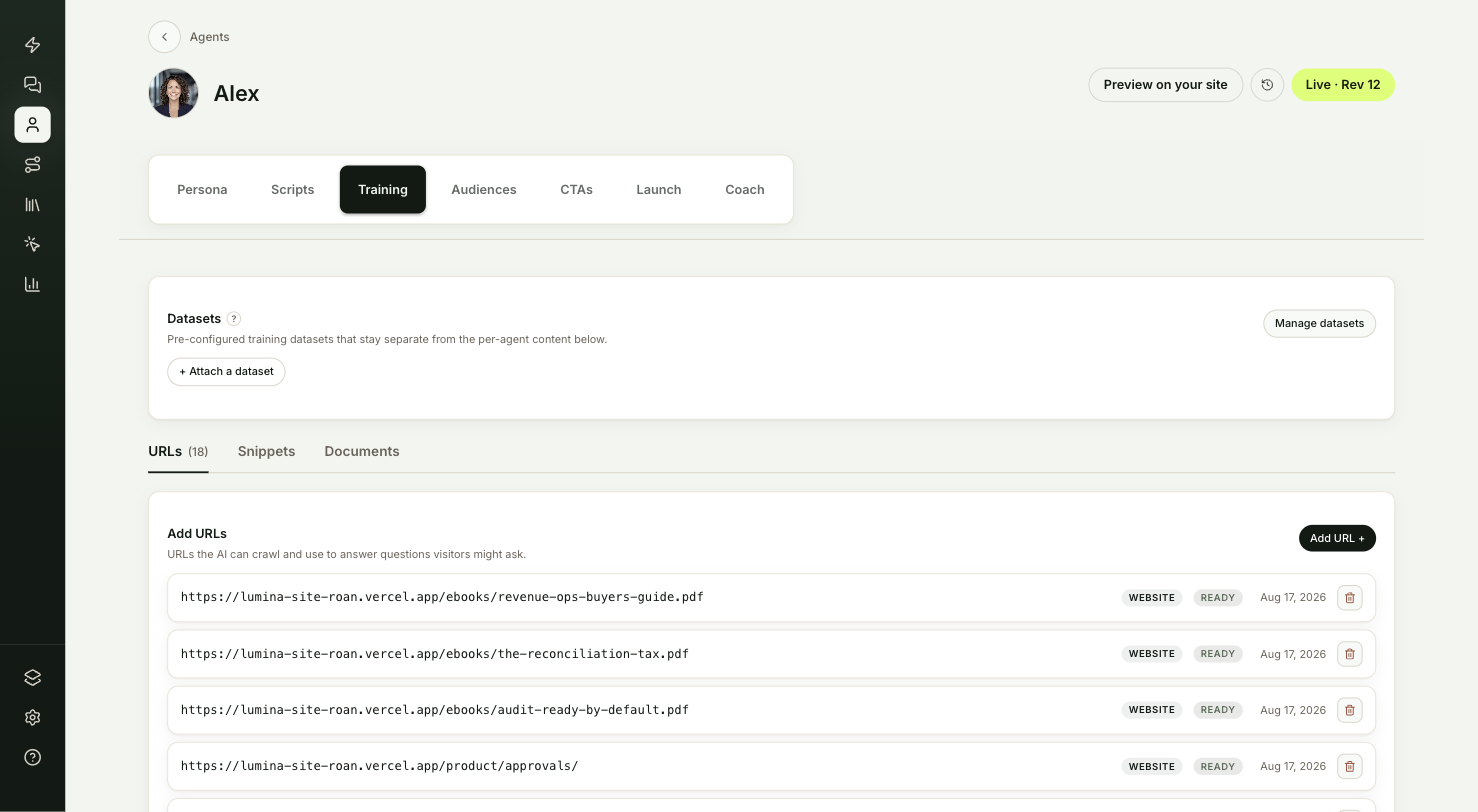
Open the agent from Agents and select the Training tab. It has three lists: URLs, Snippets and Documents.
Add website pages
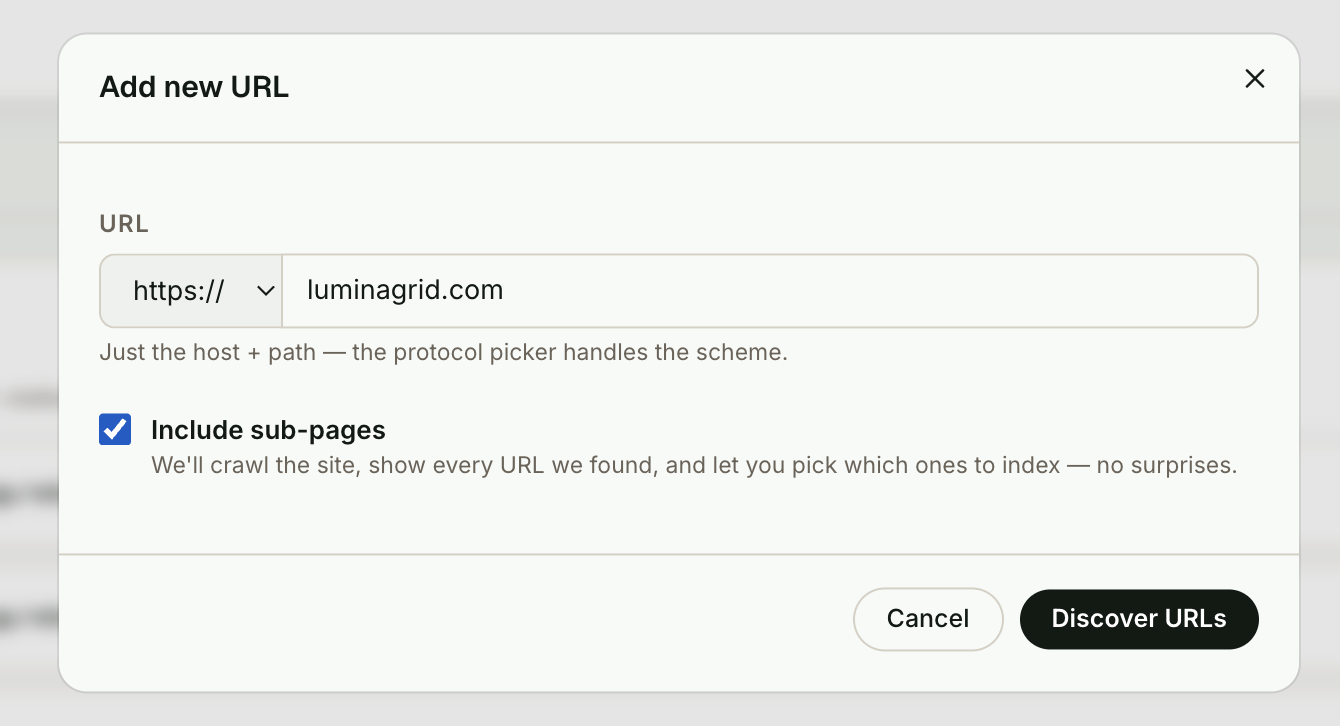
On URLs, select Add URL +. Enter the page address, for example acme.com/pricing.
To add a whole site or section, check Include sub-pages and select Discover URLs. ShowPilot crawls the site and lists every page it found. Large sites can take up to a minute. Use the filter to narrow the list, uncheck pages you don't want, then select Import. The button shows how many pages you picked.
Add snippets
On Snippets, select Add snippet + and write a short fact the agent should always know. A policy, your support hours or a key claim all work well. Select Add snippet to save it.
Add PDFs
On Documents, select Add document +. Pick a PDF that is already in your library, or select Upload PDF to add a new one of up to 30 MB. PDFs you upload here are saved to your library, so other agents can use them too.
Wait for Ready
Each source shows a status: Queued, then Indexing, then Ready. The list refreshes on its own while sources are indexing. A source marked Failed couldn't be read.
How do you share knowledge across agents?
A dataset is a named bundle of pages, snippets and PDFs that several agents can use. Update it once and every agent it is attached to gets the change.
Create a dataset
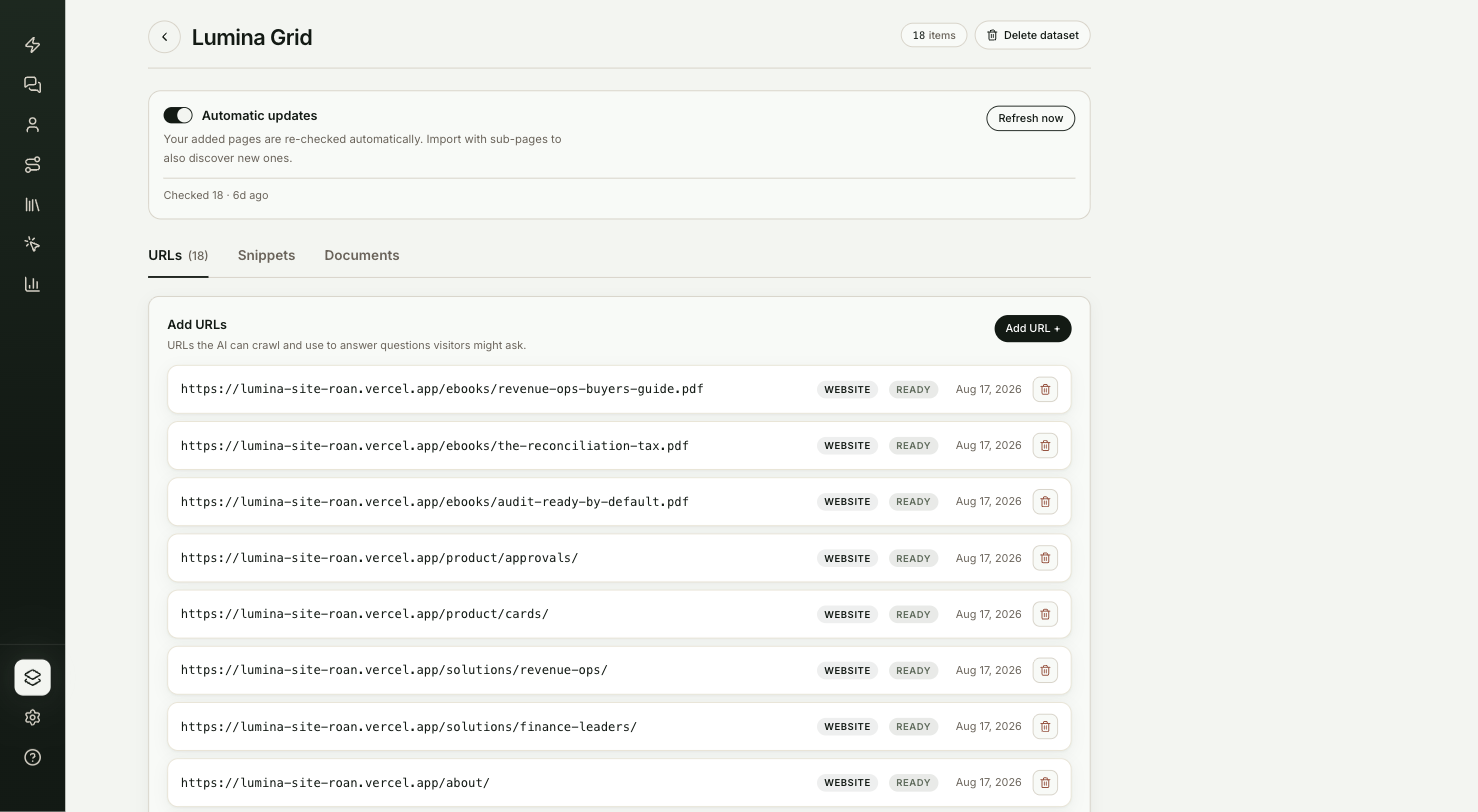
Go to Knowledge in the sidebar. The page is titled Training datasets. Select New dataset. Give it a Name and an optional description, then select Create dataset.
Add sources
The dataset page has the same URLs, Snippets and Documents lists as the Training tab. Add sources the same way.
Choose how it stays up to date
At the top of the dataset page, Automatic updates is on by default, so ShowPilot re-checks the dataset's website pages and updates the ones that changed. To pick a schedule or refresh on demand, see Keep knowledge current.
Attach it to an agent
Open the agent's Training tab. In the Datasets card, select + Attach a dataset, pick the dataset and select Attach. To stop using it, select Remove on its row. Removing a dataset from an agent doesn't delete it.
Test it
Your knowledge is ready for visitors when:
- Every new source shows Ready.
- On the agent's Coach tab, a question that only the new content can answer gets a correct answer.
- Expanding the answer shows the sources it used. If it missed, use Coach on that answer to fix it. See Preview and publish.
Troubleshooting
| Issue | What to check |
|---|---|
| A page shows Failed | Open the address in a private browser window. If it asks for a login or shows an error, the agent can't read it either. |
| Discover URLs finds nothing | Try the site's home page address, or add the pages one at a time without Include sub-pages. |
| The agent still gives an old answer | On a dataset, select Refresh now to re-check its pages. To remove a source, select the trash icon on its row. |
| A source stays on Queued or Indexing | It isn't ready yet. The list refreshes on its own until it shows Ready. |
Frequently asked questions
Do I need to publish after adding knowledge?
No. Knowledge changes apply as soon as a source finishes indexing.
Can the agent read pages behind a login?
No. It can only learn from pages anyone can open without signing in.
Does removing a dataset from an agent delete it?
No. The dataset stays under Knowledge, and any other agent it's attached to keeps using it.
How do I delete a dataset?
Open it from Knowledge and select Delete dataset. Its sources are removed from every agent it was attached to, and this can't be undone.
How often does a dataset re-check my website?
With Automatic updates on, ShowPilot re-checks the pages on its own. You can also pick a schedule, or refresh only when you choose. See Keep knowledge current.