

How content works
What the Content section holds, what each of its tabs is for, and how your agent puts videos and PDFs in front of visitors.
Content turns an answer into proof. When a buyer asks how a customer like them uses your product, your agent can open the case study in the conversation instead of describing it. The sales material you already have does more work, and buyers get to the piece that fits their question without searching your site.
This article explains what the Content section holds and how your agent uses it in a conversation.
What is content?
Content is the files your agent can show a visitor, such as videos and PDFs. Images work too. You upload a file once, and any agent or shared link can use it.
Content is different from knowledge. Knowledge is what the agent reads to answer questions. Content is what it shows. See How knowledge works.
You're in the right place when you want your agent to hand visitors a video or a PDF during a conversation.
Where do you find content?
Select Content in the sidebar. It has three tabs:
| Tab | Use it for |
|---|---|
| Content | Every item in your library. Add and manage items here. See Add and manage content. |
| Playlists | Ordered groups of items. Each agent draws on one playlist when it suggests something to read or watch. See Build a playlist. |
| Experiences | Shareable links that pair content with an agent. See Share content with an experience. |
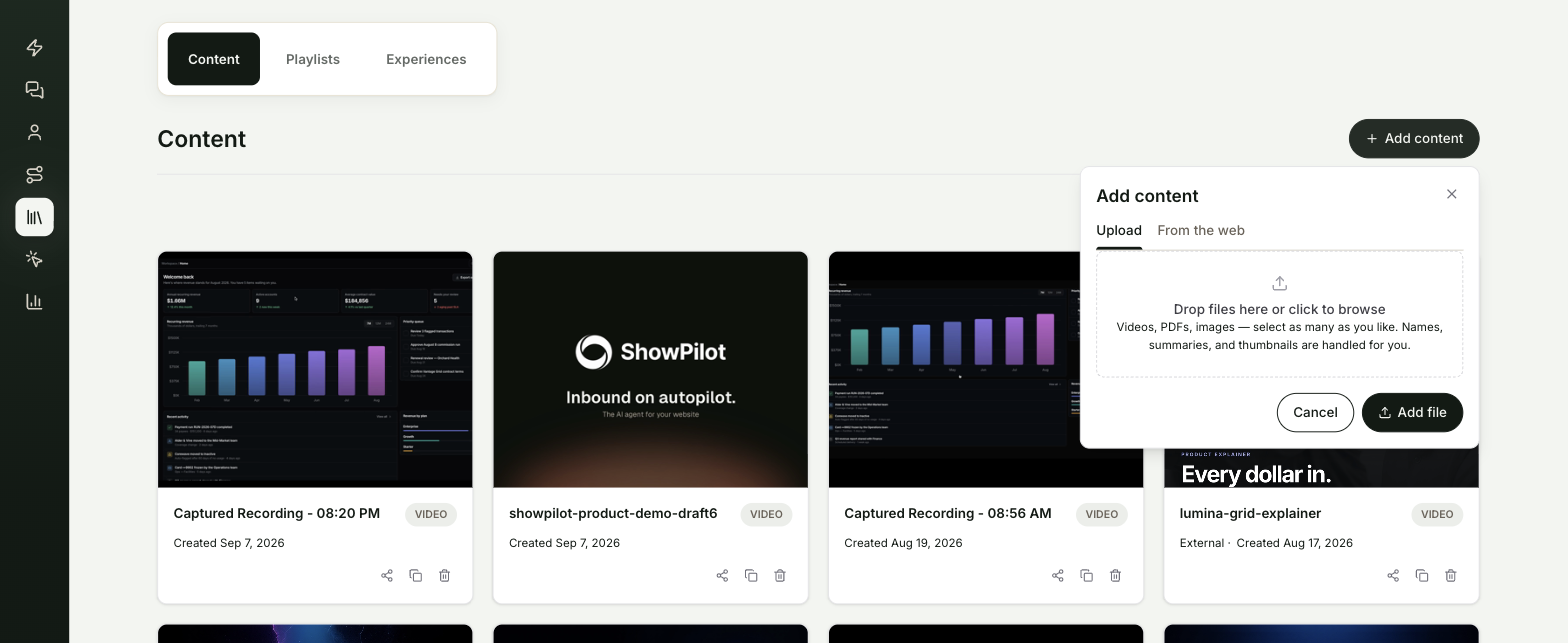
How does your agent use content in a conversation?
Each agent has a Default content playlist, set on its Persona tab. The items in that playlist are the agent's content library. It can reach for them in these ways:
| Where | What happens |
|---|---|
| Suggestions | When a question matches an item, the agent shows it as a card the visitor can open. For a broad question such as "what do you have on security?", it can show a few cards. |
| Opening an item | When one item clearly fits, the agent opens it for the visitor and talks them through it. |
| Script actions | In a script, an Action step can Recommend content or Open content at the moment you choose. See Guide conversations with scripts. |
| Agent links | On the CTAs tab, an Open content link opens an item from the default playlist when a visitor taps it. |
ShowPilot writes a summary of every item, and transcribes videos, so the agent knows what each one covers. The agent describes an item by what is actually in it, and picks the one closest to the visitor's question and situation.
When do content changes reach visitors?
| Change | When visitors see it |
|---|---|
| Changing the items inside a playlist | Right away. |
| Editing an item on its detail page | As soon as you select Save. |
| Choosing a different Default content playlist for an agent | After you publish the agent. |
Troubleshooting
| Issue | What to check |
|---|---|
| The agent never suggests an item | Check the item is in the agent's Default content playlist on the Persona tab. |
| The agent describes an item poorly | Open the item and improve its Asset Friendly Name and Asset Description, then select Save. ShowPilot rewrites the summary from them. |
| Open content has nothing to pick | The agent needs a default content playlist with at least one item. |
| A web page you added doesn't show up in Content | Content holds files. Web pages belong in the agent's Training tab. See Add knowledge. |
Frequently asked questions
Can an agent use content that isn't in its playlist?
The agent works from its default content playlist. Content you share through an experience is added to the guiding agent's default playlist for you, so the agent can open it in that conversation.
Can a tour be part of my content?
Yes. Add a published tour to a playlist, and the agent can offer it like any other item. See Build a playlist.
Where do I see which content visitors open?
Insights → Content shows which items your agent recommends and which ones visitors open. See Content insights.